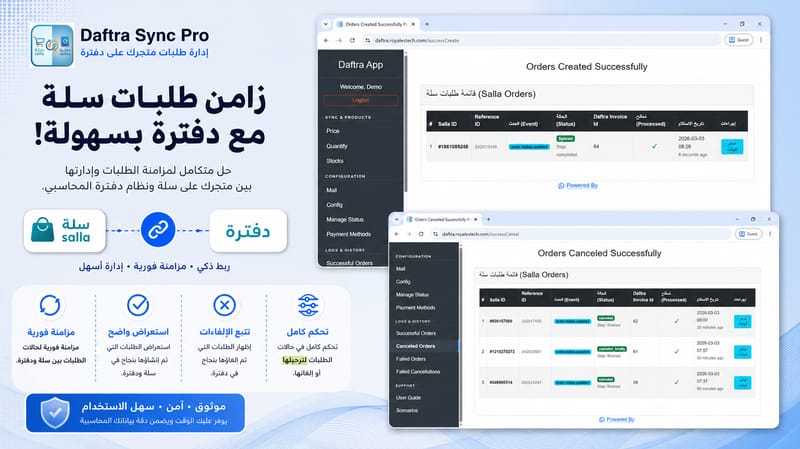
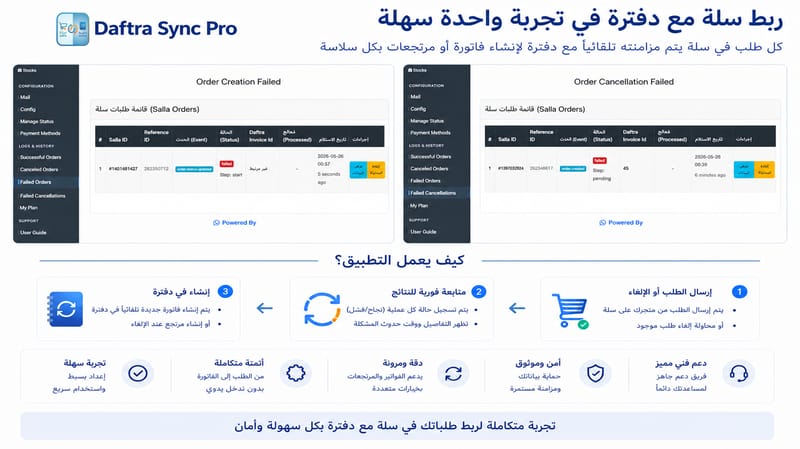
1. Smart Sync for Prices and Quantities
The app acts as a technical bridge that ensures your product data is updated with high precision.
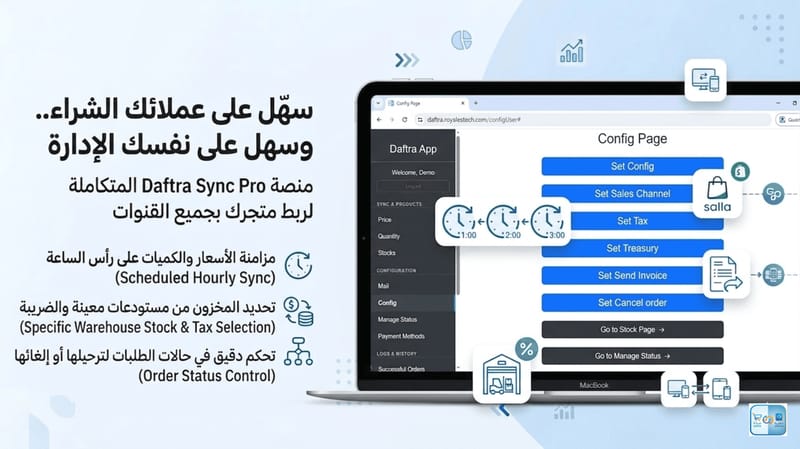
- Automated Periodic Update: The system automatically synchronizes prices and quantities based on your preferred settings.
- Flexible Product Matching: The system uses the SKU in Salla as the matching base, giving you the option to define the corresponding field in Daftra (whether SKU or Barcode) to ensure 100% linking accuracy.
- Inventory Accuracy: Data is read directly from specific Daftra warehouses to prevent any stock discrepancies.
- Financial Consistency: Unit Price synchronization ensures that products in Salla are sold at the exact accounting values defined in Daftra.
2. Automated Invoice and Order Management
Save time and effort by automatically and securely converting Salla orders into accounting invoices in Daftra.
- Real-time Integration (Webhooks): The app utilizes advanced Webhook technology to ensure orders are received and statuses are updated instantly without delay.
- Order Migration: A "Paid" invoice is automatically generated as soon as the order reaches your chosen status.
- Double-Entry Prevention (Idempotency): The system ensures each order is migrated only once, protecting you from duplicates or accounting errors even if the order status is updated multiple times in Salla.
- Payment Method Mapping: Precise linking of every payment method in Salla (Apple Pay, Tamara, Cash, etc.) to its equivalent in Daftra for accurate reporting.
- Centralized Treasury: Directing financial flows from invoices to the specific Treasury selected in your account.
3. Professional Returns Management
A smart system for handling order cancellations to ensure the integrity of your financial records.
- Credit Notes: Automatically generate a Credit Note when an order is cancelled to reverse the financial impact and correct accounting entries.
- Stock Restoration: Products are automatically returned to the warehouse upon cancellation to ensure they are available for sale again.
4. Operation Logs and Detailed Reports
Stay fully informed about everything happening in the background.
- Order Logs: Dedicated interfaces to monitor successful and failed orders with complete transparency.
- Error Handling: View the specific reason for any migration failure with a "Retry" button once the issue is resolved.
- Email Notifications: Receive periodic updates via email summarizing the results of synchronization processes.