Your customer is already in your store. Give them a reason to buy more. 🛍️
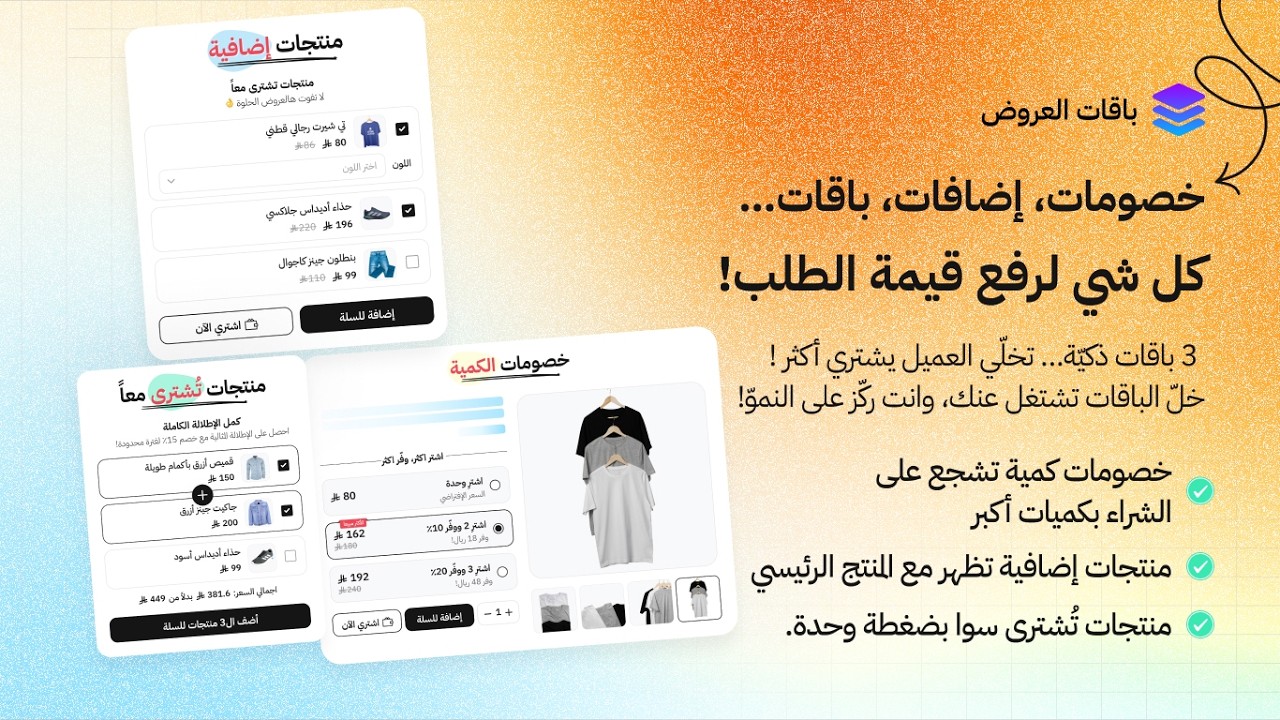
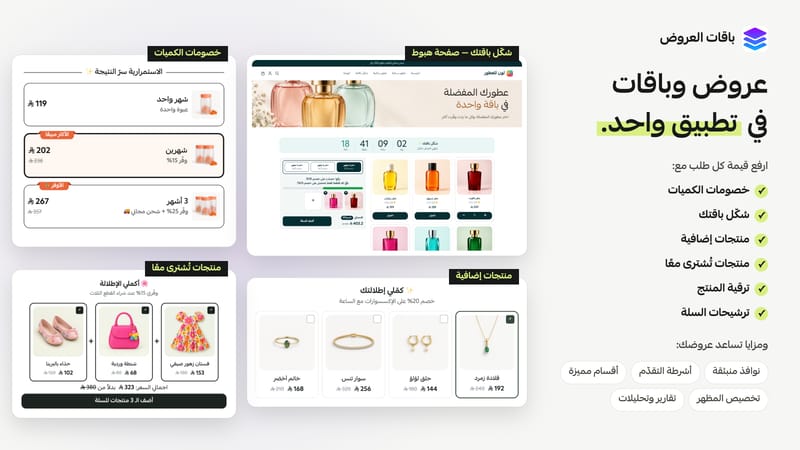
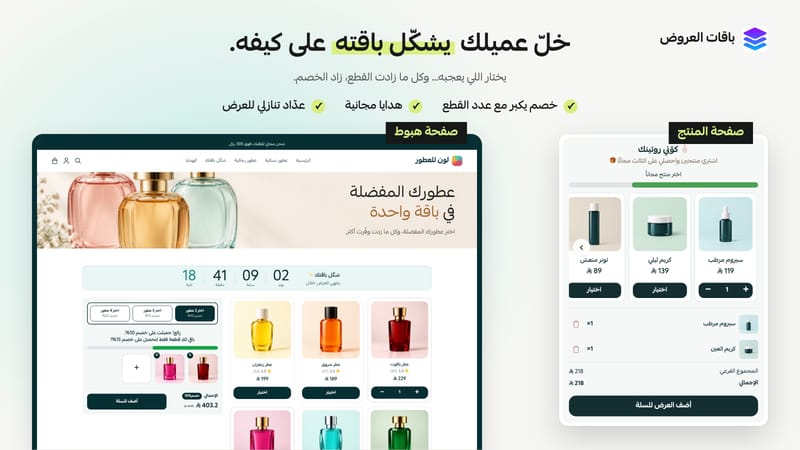
With Offers Bundles, create offers that help increase your average order value—all in one app. Encourage customers to buy more units with volume discounts, reward qualifying purchases with free gifts, group complementary products together, or let customers build their own bundles. Offer relevant add-ons and upgrades throughout the shopping journey, from the product page to the cart.
Launch offers without coding, customize their appearance to match your brand, and track performance to see which offers work best.
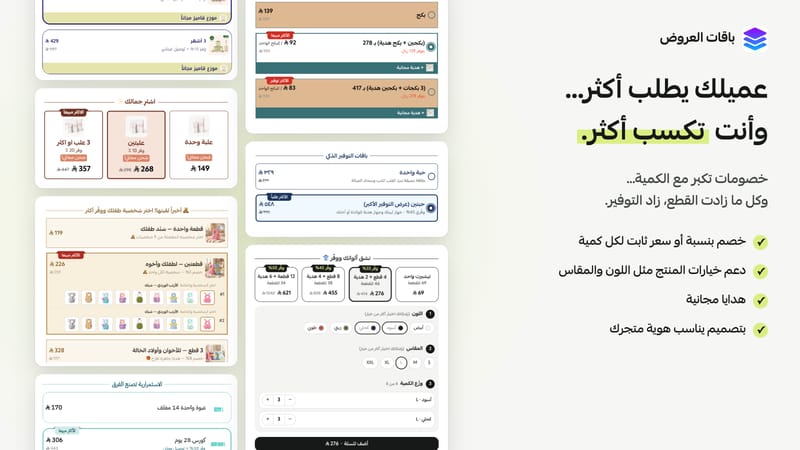
✅ Volume discounts — Sell more units with every order
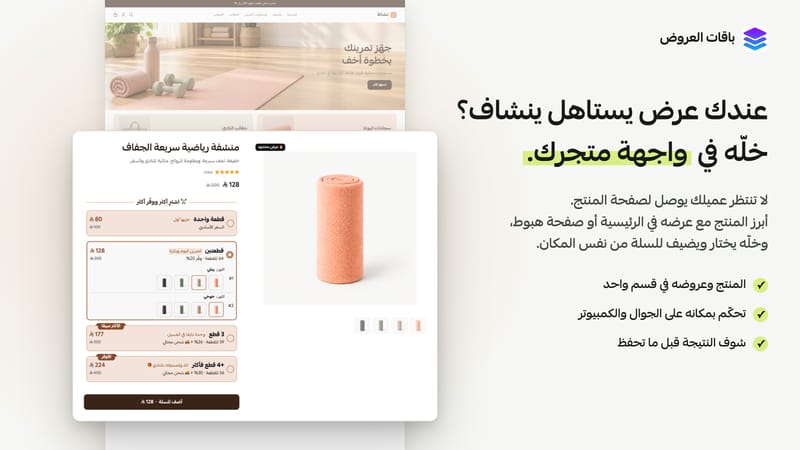
Give customers a reason to choose a larger quantity with tiered pricing. Clearly display the price and savings at each tier, and let customers choose a color and size for each item.
✅ Build your own bundle — Let customers choose their favorites
Let customers combine the products they love and unlock an offer, such as “Choose two products and get the third free.” Display the bundle on a product page or create a dedicated page to share in your campaigns.
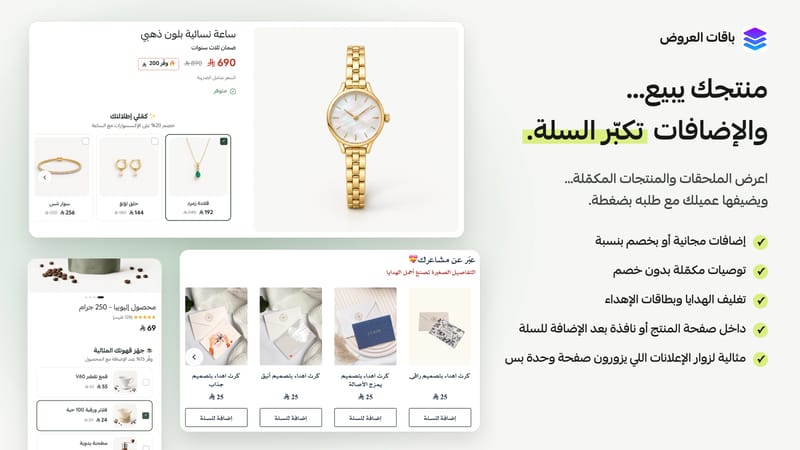
✅ Product add-ons — Don’t let the sale stop at one item
A visitor arriving from an ad may only see one product page. Introduce complementary products alongside the main item—such as accessories with a watch or gift wrapping with a perfume—and make them easy to add to the same order.
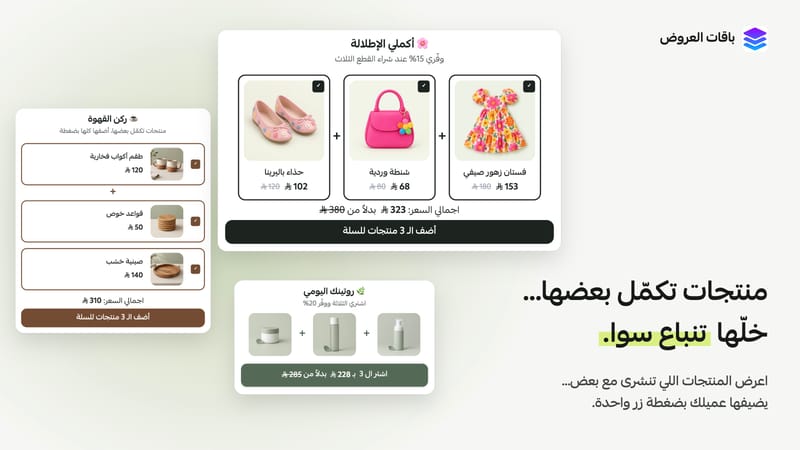
✅ Frequently bought together — Make buying the complete set easy
Have products that work better together? Group them into one offer with a clear total price, so customers can add everything to their cart in one click. Ideal for a complete outfit, a skincare routine, or a coffee set.
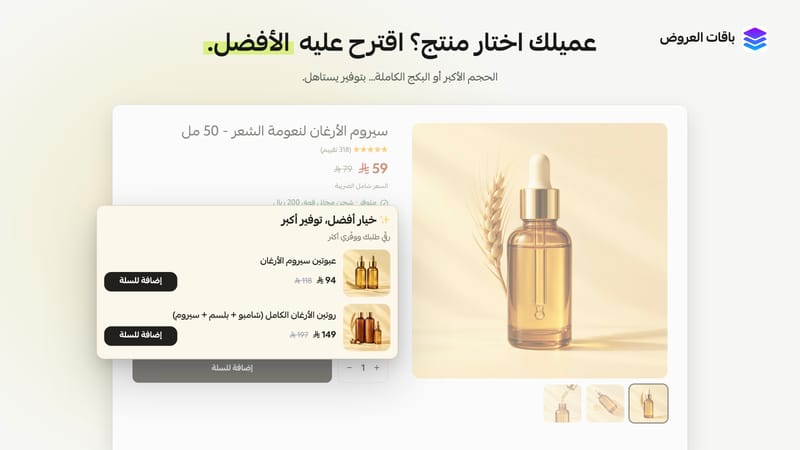
✅ Product upgrades — Give customers a reason to choose more
Offer a larger size or a complete bundle as an alternative to the product a customer is viewing. Show the price difference and benefits to help them see the value in upgrading.
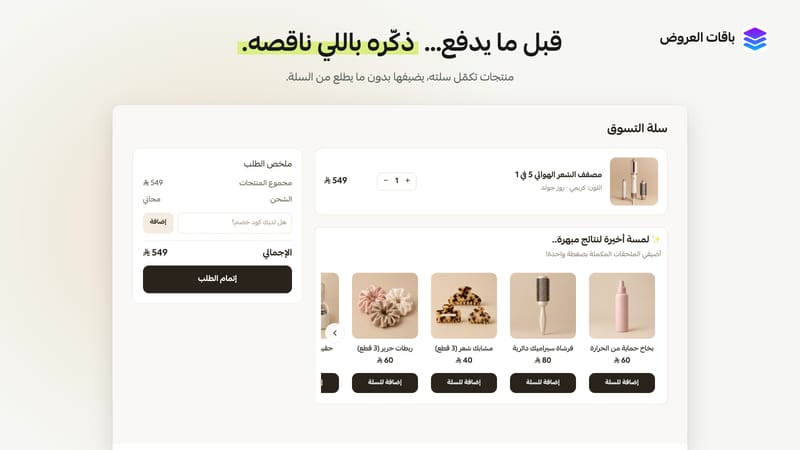
✅ Cart recommendations — Help customers complete their purchase
Suggest products that complement what’s already in the cart. Customers can add them before checkout without going back to browse your store.
✨ More ways to make your offers work
• Featured sections — Put your offers front and center: Showcase a product and its offer on your homepage or a landing page, where customers can select an option and add it directly to their cart.
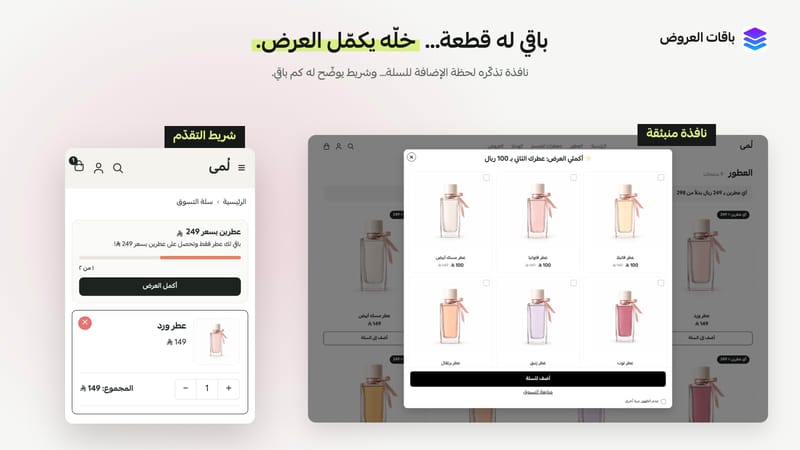
• Popups — Turn an add-to-cart moment into another opportunity: After a customer adds a product, show complementary items or a higher-value alternative.
• Progress bars — Encourage customers to complete the offer: Show how close they are to unlocking a discount, free gift, or free shipping.
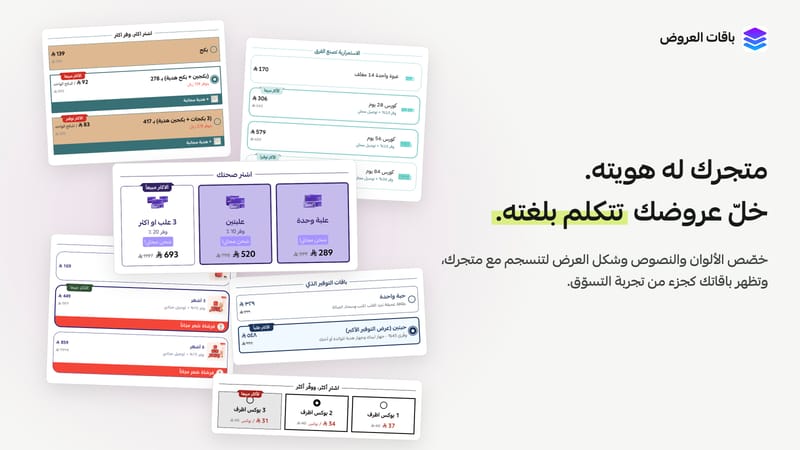
• Appearance customization — Keep every offer on-brand: Adjust colors, text, and layouts so your bundles feel like a natural part of your store.
• Targeting — Choose the right products for each offer: Select the products or categories your offers apply to.
• Reports and analytics — See which offers perform best: Track views, customer engagement, and the orders associated with each offer, along with their value. Use those insights to improve your offers.
🚀 Start with an offer that fits your store
Choose an offer type, select your products, set the details, and publish—no coding required. Our support team is here to help with setup and answer your questions.
Install Offers Bundles and start your free trial.