Image-0
Image-1
Image-2
Image-3
Image-4
Image-5
Image-6
Image-7
Image-8

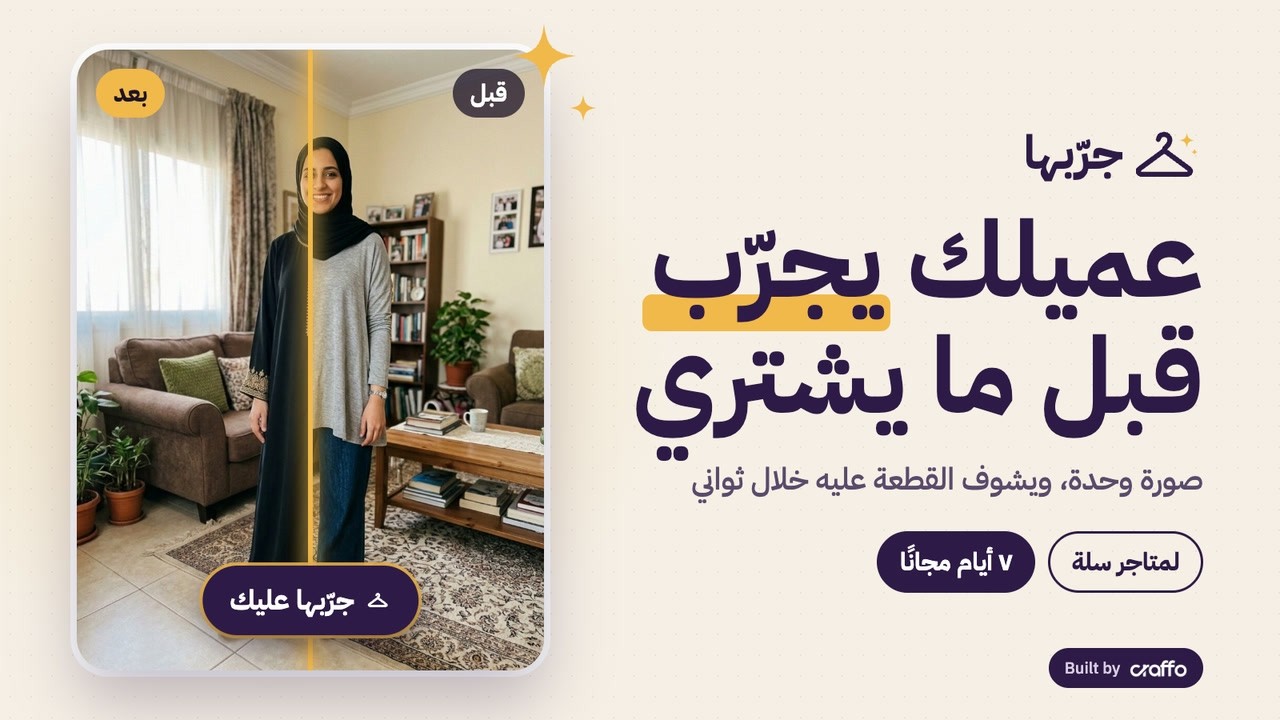
Let shoppers see the product on themselves before they buy: one photo, and within seconds they see the abaya or dress on them in the colour they picked.

The question that stops most fashion purchases is “how will it look on me?”. Jarribha answers it on the product page itself, with no app, no account, and without leaving the Salla dashboard.

Why Jarribha

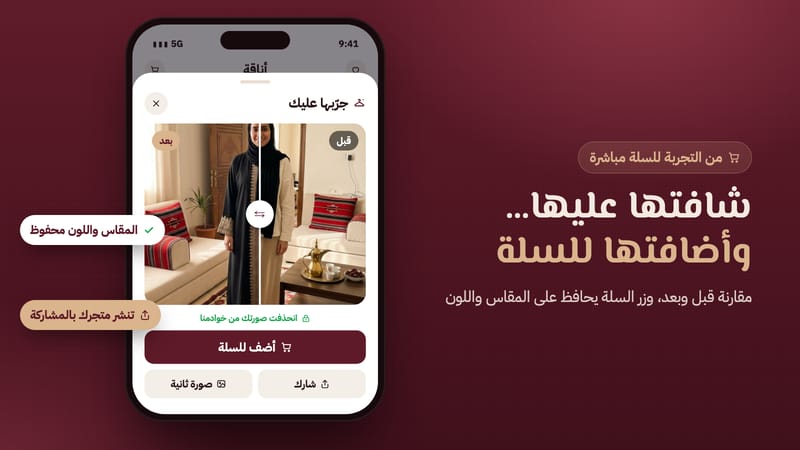
  • Confidence before buying: once shoppers see it on themselves, they hesitate less and add to cart straight from the result, with the same size and colour.
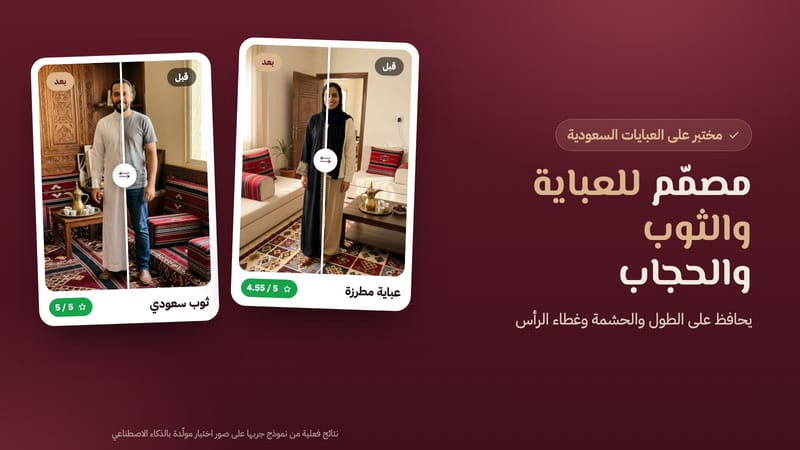
  • Built for Saudi fashion: abaya and thobe length, head coverings, modesty and embroidery are kept.
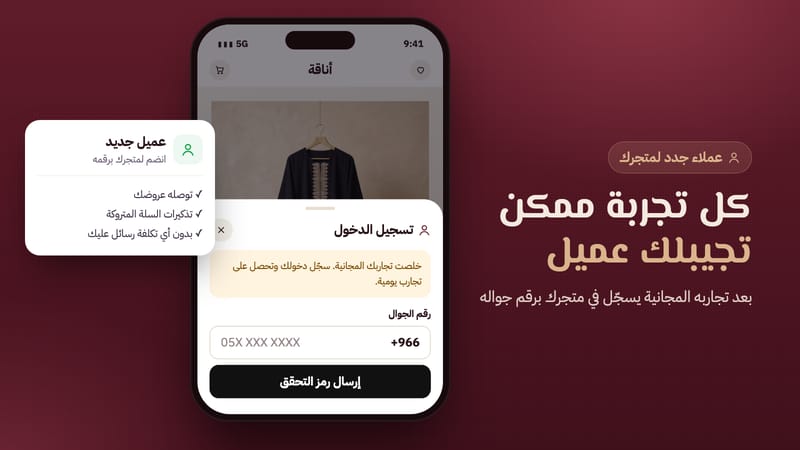
  • New customers for your store: after the free try-ons, guests sign in to your store with their phone number, so your offers and abandoned-cart reminders reach them at no messaging cost to you.
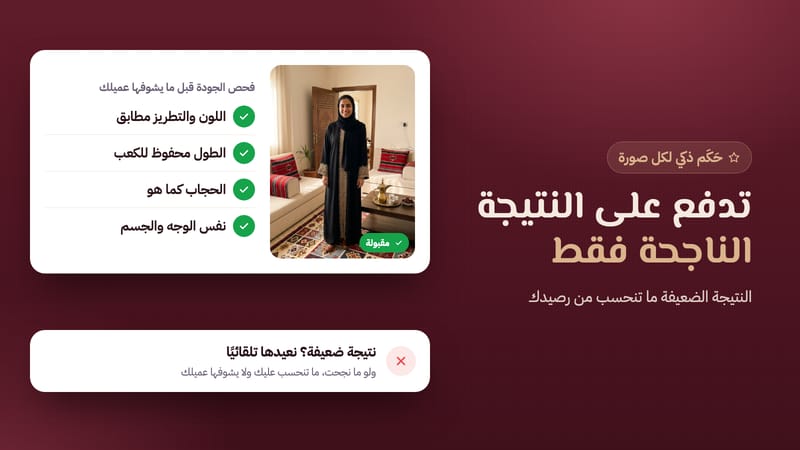
  • Pay only for good results: an AI judge checks every image; weak results never count against your balance.
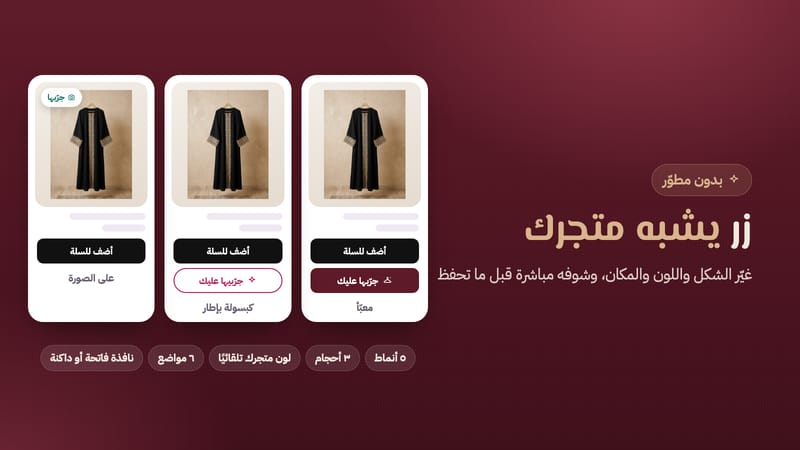
  • You choose where it shows: on all products, on chosen categories like abayas and dresses, or on products you pick, with exceptions for anything that doesn't fit.
  • Your balance in plain sight: see what happened with every try-on, and top up in one click from your Salla dashboard.
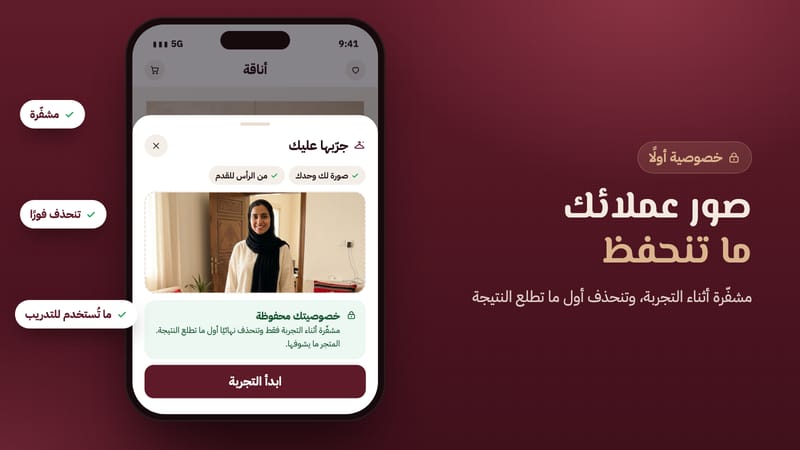
  • Encrypted privacy: shopper photos are encrypted during the try-on and deleted the moment the result is ready. The store never sees them.
  • Spreads with your shoppers: shoppers can share their result with the product link, bringing new people to your store.

How to start

  1. Install Jarribha from the Salla App Store and start your 7-day free trial with 20 try-ons.
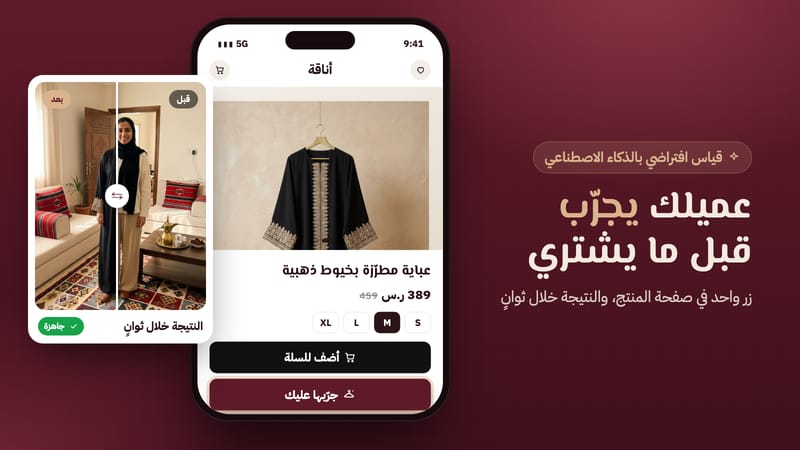
  2. The button appears automatically next to Add to Cart on your product pages.
  3. Style and place it from your Salla dashboard with a live preview on your own product: 5 styles, 3 sizes, your store colour, 6 placements, and choose which products show it.
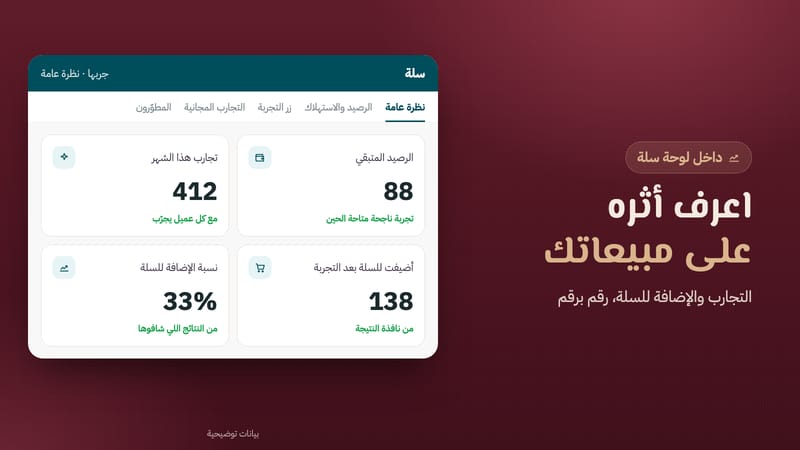
  4. Watch the numbers: how many shoppers tried on, how many added to cart after a try-on, and your most tried products.

Who it's for

Stores selling abayas, thobes, hijab, dresses, jalabiyas, women's and men's clothing, plus jackets, shoes, bags and accessories.

For developers and agencies

Fix the button's position in the theme, restyle it with CSS variables and listen to JavaScript events.

App plans

MonthlyYearly
Starter
79
7-day free trial
Starter features
  • Successful try-ons per month (100)
  • Approx. price per try-on (0.79 ر.س)
  • Pay only for successful results
  • Guests sign in to your store after free try-ons
Select plan
Recommended
Growth
249
7-day free trial
Growth features
  • Successful try-ons per month (500)
  • Approx. price per try-on (0.50 ر.س)
  • Pay only for successful results
  • Guests sign in to your store after free try-ons
Select plan
Scale
599
7-day free trial
Scale features
  • Successful try-ons per month (1,500)
  • Approx. price per try-on (0.40 ر.س)
  • Pay only for successful results
  • Guests sign in to your store after free try-ons
Select plan
Price shown does not include VAT (15%)

Why merchants choose Jarribha

Shoppers see it on themselves

Shoppers see it on themselves

One photo, the selected colour in seconds, with length and hijab kept.

Every try-on can bring a customer

Every try-on can bring a customer

After the free try-ons, guests sign in to your store with their phone number.

Pay only for success

Pay only for success

An AI judge checks every image; weak results never count against your balance.

Frequently asked about Jarribha

Got a question? We've got the answer

1What is Jarribha?

A “Try it on” button on the product page: shoppers upload a photo and AI shows the product on them in the colour they chose, in seconds, with Add to cart in the same window.

2Do I need a developer?

No. The button appears next to Add to Cart after installing, and you style it from your Salla dashboard with a live preview.

3Does it work on mobile and all themes?

Yes. It's mobile-first and works on Salla themes. If your theme is custom, you can set the button's position yourself or we'll help.

4Can I cancel anytime?

Yes. Your free trial is 7 days with 20 try-ons, and you can cancel or change your plan from Salla anytime.

5Does it work for abayas, thobes and hijab?

That's our focus. Length, head coverings and modesty are kept, and the AI judge rejects any result that reveals more than the product.

6Which products work?

Abayas, thobes, dresses, tops, bottoms, jackets, hijab and shemagh, plus shoes, bags, eyewear and accessories.

7Can I choose which products show the button?

Yes. On Jarribha's Products page choose all products, chosen categories like abayas and dresses (new products in them are included automatically), or products you pick, and exclude anything you like.

8Does the result use the colour the shopper picked?

Yes. We use the colour photo shown on the product page, and Add to cart from the result keeps the selected size and colour.

9How long does a try-on take?

Usually about 15 seconds. Shoppers can close the window and keep browsing; we let them know when it's ready.

10Where do my shoppers' photos go?

They're encrypted in transit and during the try-on only, then permanently deleted once the result is delivered. We don't keep them, you never see them, and they never train any model.

11Am I charged for bad results?

No. The AI judge checks every image and we retry weak ones automatically; if it still fails, it isn't counted.

12How many free try-ons do shoppers get?

You decide: per guest (we suggest 1–3) and per signed-in customer per day (3–10). After guest try-ons we open your store's sign-in.

13What happens when my balance runs out?

The button hides quietly and we warn you before that. Add 100 or 500 try-ons in one click, or upgrade your plan.