

The Best for WhatsApp Notifications & Abandoned Carts
Before working with any provider, make sure they are an official Meta and WhatsApp Business Partner to avoid your number being blocked or permanently banned. Here is the official link to check approved WhatsApp partners.
WhatsApp by InfoSeed is one of the leading applications specialized in enhancing the WhatsApp experience, making it an essential tool for supporting e-commerce stores on the “Salla” platform. It offers a comprehensive set of features to boost performance, increase sales, and enhance customer experience.
# Key Features of WhatsApp by InfoSeed:
- Quick Activation: Activate the application in just a few minutes with ease.
- Simple User Interface: A clear and easy-to-use dashboard, suitable for all users.
- Abandoned Cart Targeting
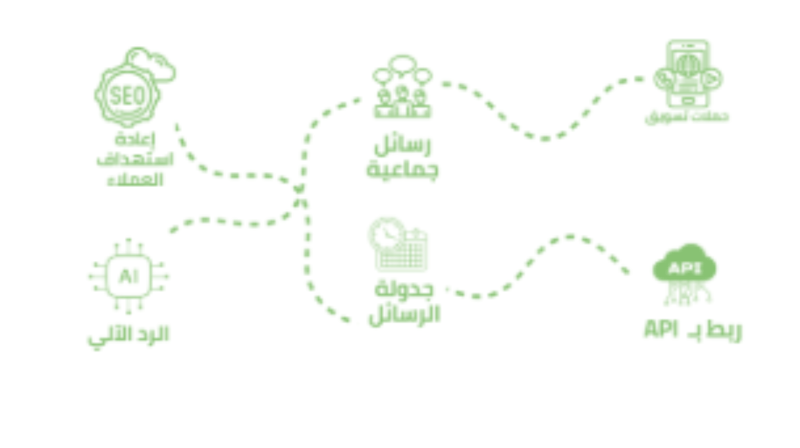
- Send single or multiple messages to customers at predefined time intervals.
- Include discount codes to encourage purchase completion.
- Notify customers instantly when a new order is created.
- Automatically send updates to customers when the order status changes.
- Send confirmation messages for COD orders to verify the process.
- Automatically greet new customers upon registration.
- Send automated review requests after a specific time post-delivery.
- Fully editable messages to suit your brand and business needs.
- Dynamic Variables Support:
- Auto-replies: Automatically respond to common inquiries to save time and effort.
- Custom API Integration: Full API support to meet advanced business needs.
- OTP Verification: Add a layer of security by sending OTP codes during login to protect customer data.
# Additional Benefits:
- Does not require a connected phone.
- Import WhatsApp contacts and chat history, including store customers.
- Full control over enabling or disabling notifications as needed.
- Customize all templates and message formats.
- Support for interactive buttons for better user engagement.
- 24/7 technical support.
# How to Activate the App:
- Choose a Plan: Subscribe to the plan that fits your business.
- Activate the App: Click the “Activate App” button to begin.
- Receive Your Account Details: You’ll receive a WhatsApp message with your login credentials and activation instructions.
# Connecting WhatsApp Account:
- Once your account is created on WhatsApp by InfoSeed:
You’ll receive a welcome message.
Our support team will contact you immediately to link your number and verify your account via the Meta API.