
Automate Your Salla–Odoo Integration
If you run your online store on Salla and manage your business operations and accounting through Odoo, you may still be transferring orders between the two systems manually.
You open an order in Salla, create the customer in Odoo, then create the sales order and invoice. You repeat the same process for every order.
Every order takes extra time, and every manual entry creates room for errors that can affect your inventory, accounting, and reports.
What if this entire process could happen automatically?
This integration does exactly that. It monitors activity in your Salla store and automatically creates the corresponding records in your own Odoo 17 system.
You Decide What Gets Created and When
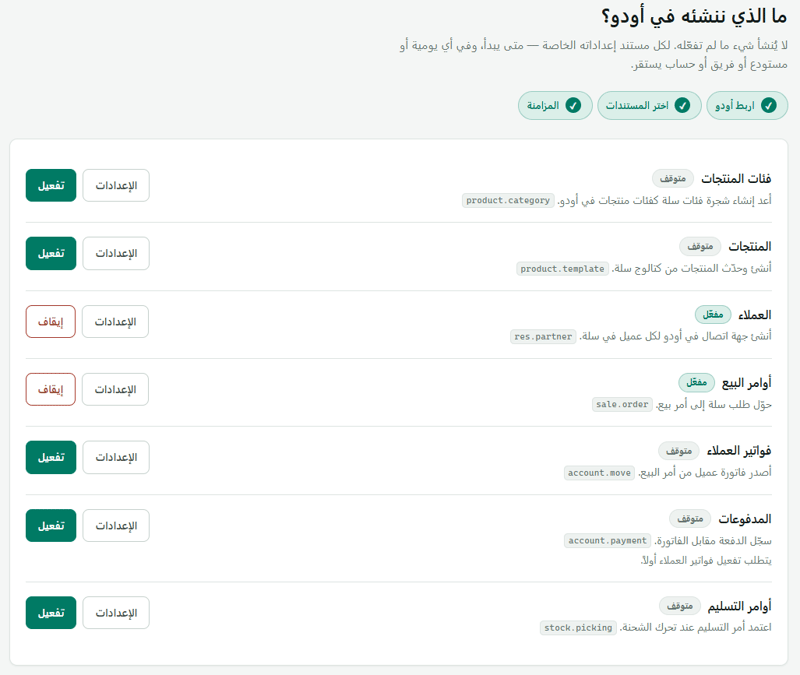
Nothing is written to Odoo unless you enable it. Each document has independent settings, allowing you to choose the order status that triggers synchronization and specify the journal, warehouse, sales team, or analytic account to use.
Every selection list is retrieved directly from your Odoo system, so you can only choose options that actually exist in your database.
What Can Be Created?
Customers: Create a contact for each customer, with smart matching by phone number or email to prevent duplicates.
Sales Orders: Create orders with prices, taxes, shipping lines, and the order status you choose.
Customer Invoices: Generate invoices from sales orders when payment is received or when the order reaches your selected status.
Payments: Register and reconcile payments with invoices, using a separate journal for each payment method.
Delivery Orders: Validate deliveries only when the order is actually shipped, not before.
Built to Keep You Informed When Something Goes Wrong
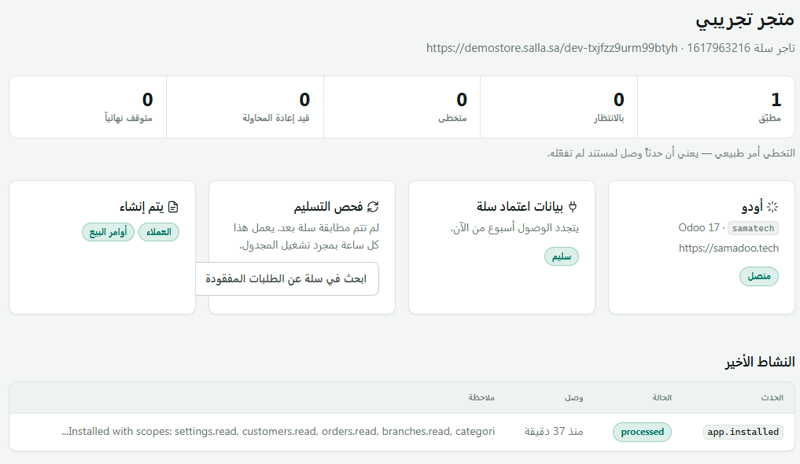
No more guessing or searching for missing orders. If an order fails to reach Odoo, it appears directly on the Error Page, with a clear explanation and a retry button.
If Odoo rejects a document, the integration stops the synchronization rather than creating incomplete records. It clearly displays the issues that need to be resolved before proceeding.
The system also checks Salla every hour for orders that have not been synchronized and automatically processes them again. So even if the connection between Salla and Odoo is temporarily interrupted, your orders won't get lost.
Arabic & English Dashboard
A fully bilingual dashboard in Arabic and English, featuring a right-to-left interface and both light and dark modes.
Requirements
An Odoo 17 system accessible online.
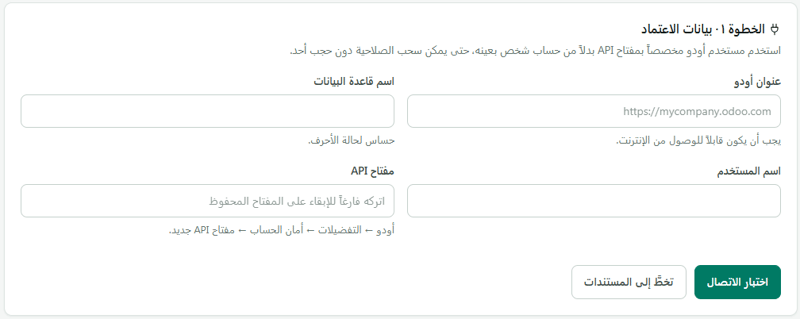
An Odoo user with an API key (a dedicated integration user is recommended).
Salla permissions to read and write orders, customers, and products.