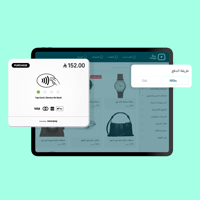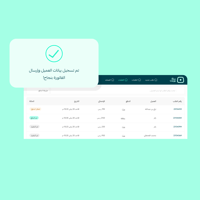



Salla Point makes it easy for your team to create orders directly in front of the customer, with real-time updates to inventory and orders, plus clear reports that help you track performance moment by moment.
Why Salla Point?
- A free cashier with your Salla plan (Plus/Pro/Special) with no extra fees for basic operation
- Sell from anywhere: use your phone or tablet without dedicated POS hardware
- Instant sync: every sale automatically updates inventory and links the order to your store
Flexible payment methods for every customer:
- Cash payment
- Payment link/QR that lets the customer pay using all payment methods enabled in your store, such as Apple Pay, Tabby, Tamara, and more
Easier order management:
- Save the order as a draft
- Apply an instant discount (percentage or amount)
- Add an unregistered sale item
- Add notes to the order
Ready tax invoices:
- Issue a simplified tax invoice compliant with ZATCA (Zakat, Tax and Customs Authority)
POS reports:
- Branch sales
- Employee performance
- Best-selling products via Salla Point
A faster staff experience:
- Employee PIN login and easy switching between employee accounts (based on permissions)
- Manage employees from the control panel (activate/deactivate/send login PIN)
Important note about card payments:
Card payments (SoftPOS via NFC on supported Android devices) are automatically available for Special merchants. For Plus and Pro merchants, it can be enabled through the Salla Point Pro package with a monthly subscription of SAR 79 + SAR 49 for each additional device.
Start now:
Activate Salla Point from the control panel (Sales Channels → Salla Point), then install the app on your device and start selling immediately.